TurboLinuxにbundleされているApacheを利用する
TurboLinuxでは製品にWebServerであるApacheがbundleされており、標準installでそのサービスが利用可能です。
Apacheが起動している場合は、"httpd"というprocessが確認できます。(ps
command などで確認してください。)
<利用可能の確認>
コンソールから"httpd -v" とタイプして、versionが表示されれば、利用可能です。
ちなみにWorkStation6.0にBundleされているApacheのversionは1.3.12です。
ここまで出来れば、BrowserからIPaddressやHostNameなどを入力し表示させて見ましょう。
<ex.>
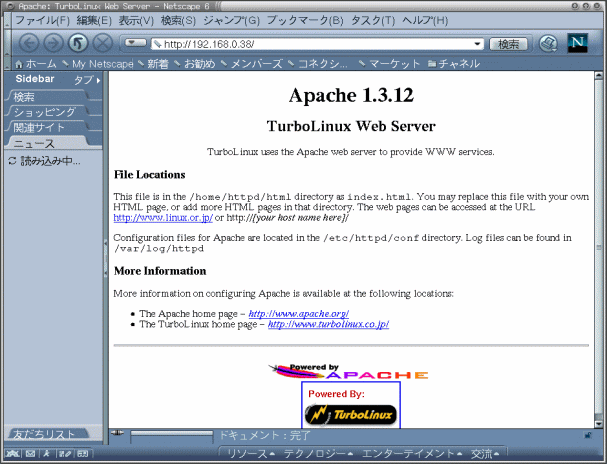
この例ではIPaddressを入力し、DocumentRoot(/home/httpd/html)にあるindex.htmlが表示されています。
BrowserでURL入力後、表示まで非常に時間がかかる(1-2分)場合、/etc/resolv.confの
記述子 nameserver にIPaddressが正しく記述されているかを確認してください。
nameserverを稼動させていない場合、自分のIPaddressを記述すれば、うまくいきます。
<OSのインストールで一緒にインストールされるApache環境>
TurbuLinuxに標準でインストールされる環境は、単独でApacheをインストールした場合と異なるようです。
下記の表がその環境です。
| /etc/httpd |
/conf |
access.conf
httpd.conf
srm.conf |
|
/logs
(symbolic link) |
accecc_log
error_log |
|
/modules
(symbolic link) |
httpd.exp
libproxy.so*
mod_access.so*
mod_actions.so*
mod_alias.so*
mod_asis.so*
mod_auth.so*
mod_auth_anon.so*
mod_auth_db.so*
mod_autoindex.so*
.........
|
|
| /home/httpd |
/aux |
/man |
man.aux
mansearch.aux
mansearchhelp.aux |
| /cgi-bin |
/man |
man2html*
mansearch*
mansearchhelp*
mansec*
manwhatis* |
| /html |
/index.html |
|
| /manual |
LICENSE
bind.html
cgi_path.html
content-negotiation.html
custom-error.html
dns-caveats.html
dso.html
ebcdic.html
env.html
footer.html
handler.html
header.html
images/
index.html
........ |
| /icons |
README
a.gif
alert.black.gif
alert.red.gif
apache_pb.gif
back.gif
ball.gray.gif
ball.red.gif
binary.gif
binhex.gif
blank.gif
......
|
|